
Wellbore Completions
The completion form is used to handle information related to the wellbore completions and recompletion operations. This form is useful to store and organize the Wellbore Completion data for each well in PHDwin itself instead of having to use a separate program to view the completion data. Wellbore completion data includes details about Hydraulic Fracturing Completions. Once they are added here, users can input test rate volumes for each completion on the Production Test form. The completion form is important for unconventional formations as the information on lateral length and Frac Proppant are useful for building a normalized curve for prospect cases.
To Add or Edit Wellbore Completion Records
Click on the Forms Flyout that is docked on the left side of the screen and then double-click on Wellbore Completion.
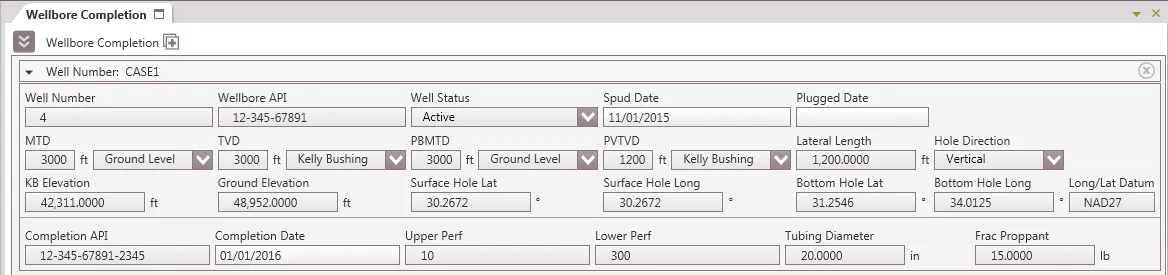
Each case will have a default wellbore completion record with an auto-generated Well Number. Update the record with the correct well number and add new ones as necessary. When filling out data on the Production Tests form, users can tie the data to a specific Wellbore Completion by the Well Number.
To add a new completion
- Click on the
 button next to Wellbore Completion. The new completion will show up below the existing one.
 - Scroll down and fill in the completion information. The Well Number is the only field that must be populated in order for the completion to save.