
ID Codes Labels
In PHDwin, you can set up the ID codes labels you’d like to have on each case in the Database Settings. ID codes are inputs that allow you to store identifying values such as API Number, Block Number, or Spud Date. You can fill them in for each case on the @ID Codes form . You can create as many ID codes as you’d like and also sort the case list by ID codes. Some ID codes are created for you when you import production data from sources such as IHS or Drilling Info.
How Do I Add New ID Code Labels?
If you’d like to manage or add new ID code labels that will be available to fill in on the cases:
1.Go to the Database Settings Ribbon and click on ID Codes and enter Edit Mode.
2.The ID codes are grouped together by type. Click on the button next to the proper group to add a new ID code.
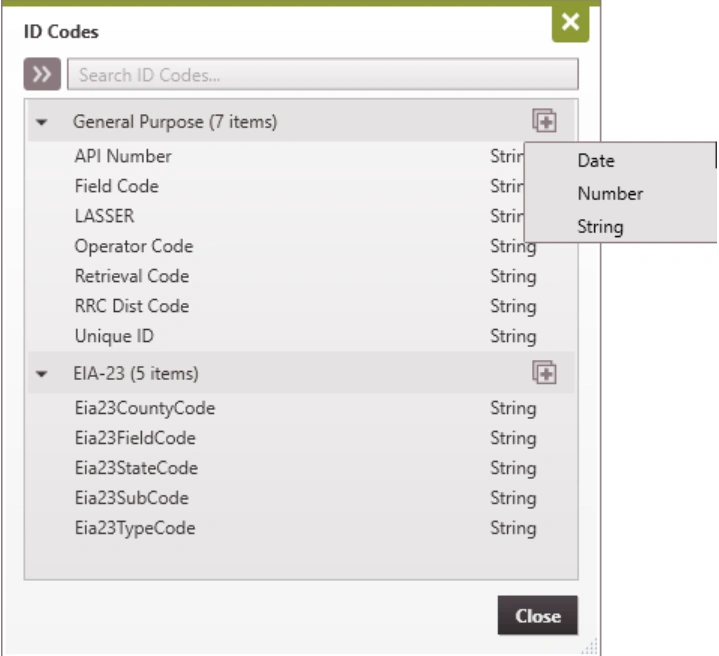
3.Choose if the ID code should be formatted as a Date (mm/dd/yy) , Number, or String (which can be a combination of numbers, letters & special characters).
4.Click Close to save your changes. You can go back to the ID codes form to edit the values on any case.