Navigation: Running Reports > Default Reports >


The Model Form is used for creating new models for all deck categories. This includes prices, expenses, shrinkage, escalation, differential and energy factor models. The model audit report was designed for exporting or transferring these models from one database to another, making them re-usable. All model categories can be exported. You can also export only one category. Also, you can export all models in the database or a subset of the models in the database (that is those applied to cases added to the report run). The model report can be exported as a csv file, edited, and re-imported into the the same database or a different database.
To generate a model audit report, in the report ribbon
1.Select Models Audit from the report dropdown
2.Select cases with the models you want to export. Use Selected Cases under report group.
3.Select Cases Only or Cases and Summaries from the summarization dropdown.
4.Set the destination to Preview
5.Click Run to generate report in the Dev Express as shown below
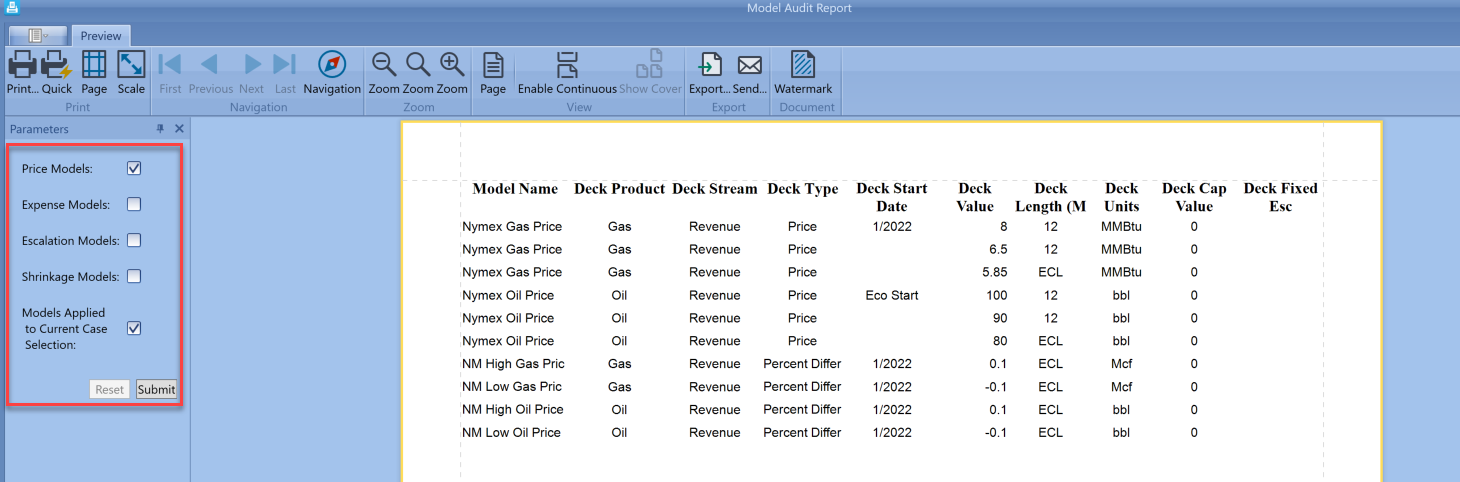
Models displayed would depend on the options selected in the parameters section of Dev Express. Differential and Energy Factor models are combined with the Price Models checkbox. To view all models in the database, uncheck only the last checkbox and hit submit.
To export the data to csv file or excel, select export at the top of Dev Express and select the desired file type. Save the file and it opens as shown below.
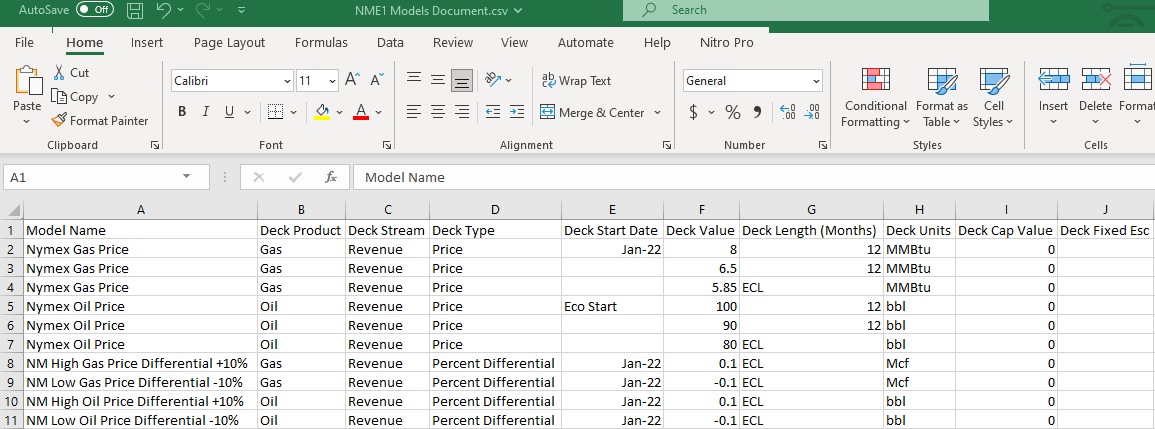
The generated CSV file has already been pre-mapped and ready to be imported into any PHDwin database as described in Sample CSV Model Imports.