Navigation: Running Reports > Default Reports >


The Memo Form is a useful tool for adding information on the case in PHDwin. In a team setting where multiple team members work on the same cases, using the Memo form makes it easy to keep track of what change/update each person makes. This enhances collaborative work. The Memo is also useful when importing new cases into the database. The import report is attached to the case's Memo form.
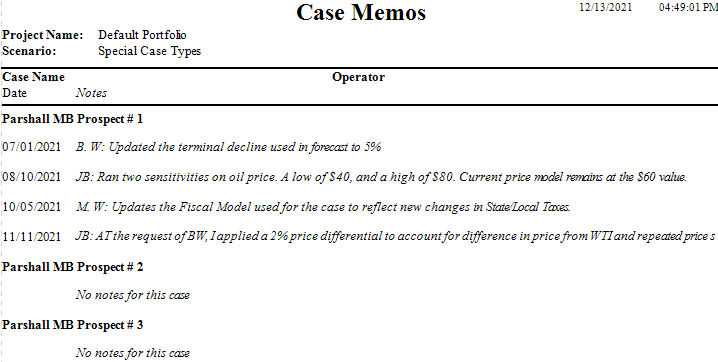
The Memo report retrieves the information in the Memo form for all the cases and generates a report as shown in the example below.