Navigation: Running Reports > V3 Connect >


 Using the V3 Forecast Connect MS Excel Spreadsheet
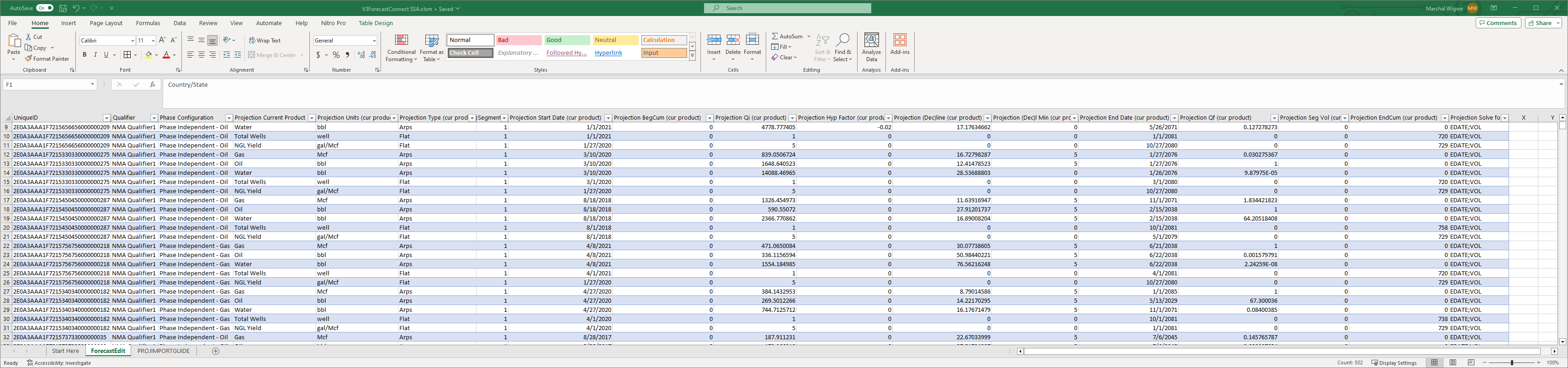
The Forecast Edit Sheet The forecast edit sheet is used for projection edit. Enable Macros if it asks you to. Edit the connection string as described in Setting Up V3 Connect MS Excel. Enter the Report ID into the Report ID box on the Start Here tab of the workbook and click refresh to load the projection data from your report run. Please note the rules on the Start Here page! In particular note that changed imported projections must come to a new Qualifier (the sheet does this automatically for you unless you change that column) and you must save the ForecastEdit tab as a CSV file after changes for it to import back into PHDwin. |
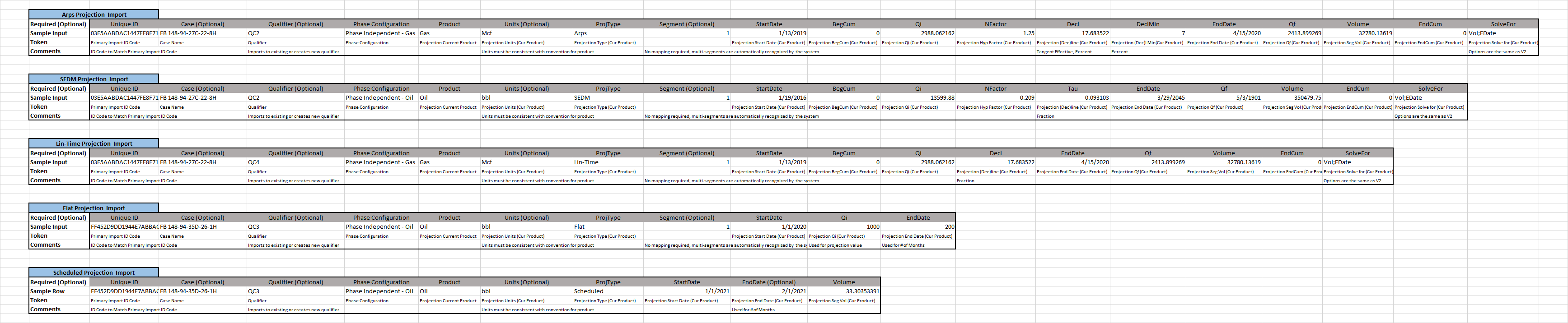
PROJIMPORTGUIDE, or the Projection Import Guide is a feature that we have built into the sheet due to clients wanting the ability to import projections.
To import projections, there are certain pieces of information that must be present depending on the type of projection import. Using the correct formats in the tool will ensure that users import the data accurately. Case Names, Projection qualifiers, and segments are optional, therefore projections will still import without them. If no qualifier is specified, imported projection is saved in the default qualifier. |