Navigation: Running Reports > V3 Connect >


 Using the V3 Tech Connect MS Excel Spreadsheet
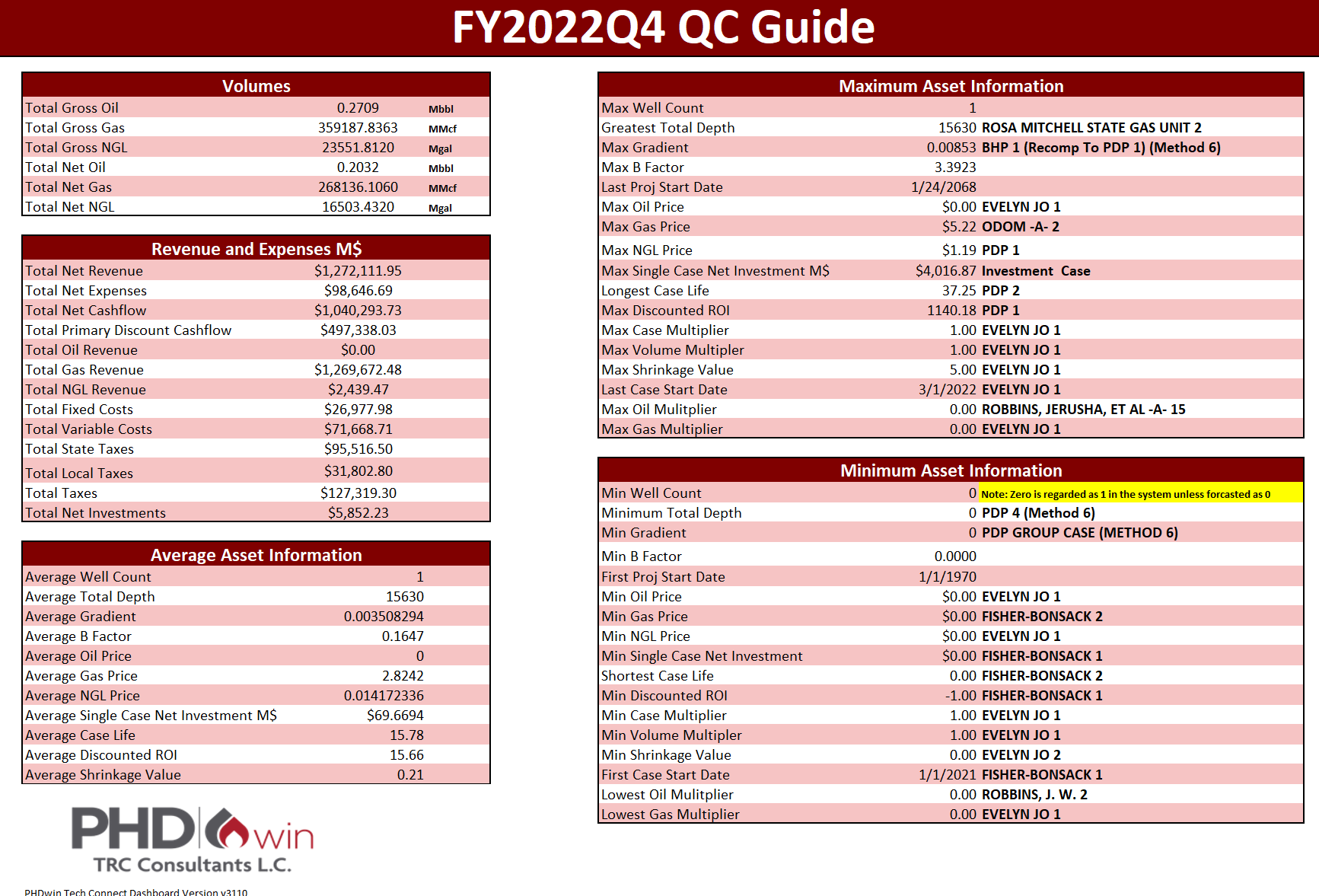
The Bottom Line Spreadsheet The Holy Grail of outputs for technicians has finally arrived. The real beauty of this workbook is that aside from the normal output tables, the Bottom Line page will enable users to obtain a bird's eye view of their data. The Bottom Line sheet Connects to the outputs in the rest of the spreadsheet and pulls out key values that will be useful for quick evaluation and QC of data. The definition of some of the column headers shown across the spreadsheet can be found under Report Tables report parameter definition section. The Bottom Line sheet title is pulled in from whatever you named the Report in PHDwin. In addition, the sheet pulls information from the summed cells from each of the different columns in the Oneliner sheet. The units are based on the conventions used for the run. |
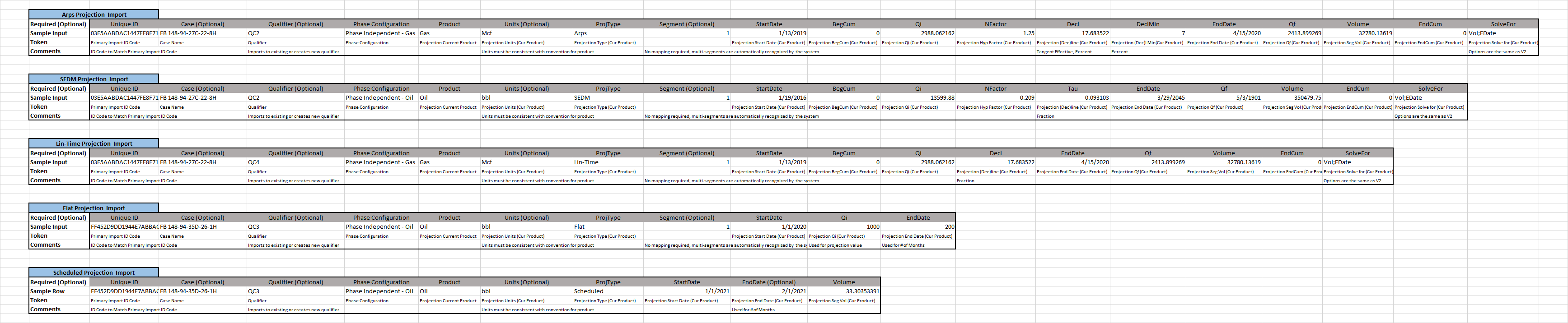
PROJIMPORTGUIDE, or the Projection Import Guide is a feature that we have built into the sheet due to clients wanting the ability to import projections.
To import projections, there are certain pieces of information that must be present depending on the type of projection import. Using the correct formats in the tool will ensure that users import the data accurately. Case Names, Projection qualifiers, and segments are optional, therefore projections will still import without them. With regards to Phase Configuration, a lot of information is needed to assign the correct major phase, which is not always present. Because of this, projection imports only work with phase independent phase configurations. |
In this workbook, there are four worksheets highlighted in yellow. For these sheets, any change made in PHDwin will be reflected in the sheet without needing a new report run or a Report ID.
|
