Navigation: Graphs > Building Projections on the Graph >


A Flat Projection is a horizontal projection that will not change over time. Flat projections are especially useful for scheduling ratio products such as GOR or Yield. It is simple to enter a specific yield for a number of months. You can only use flat projection segments on products that are set up with time-based projections, such as well count and days.
 To Add a New Flat Projection Segment
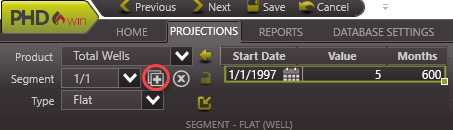
1.Open up the graph to use. If there is no graph open, go to the Graphs flyout and double-click on any graph to add it to the view. See details under How To Choose Which Products are Displayed on the Graph in Building Forecast on the Graph. 2.Go to the Projection ribbon. 3.Use the drop-down menu on ribbon next to Product to choose the product to adjust the projection for. 4.Click on the 5.Edit the segment values by typing numbers directly into the projection window. To directly enter the values, simply type the proper starting date, value, and number of months into the Projection window. 6.Hit Enter on the keyboard or navigate out of the cell being edited and the projection updates automatically.
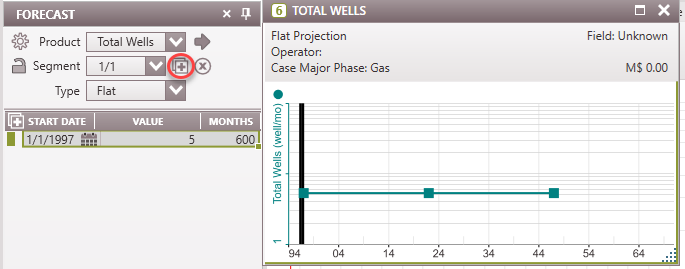
The Projection flyout can also be used to add a Flat segment to the graph. 1.Open the flyout by clicking the 2.Click the 3.If desired, click the
Flat Projection Inputs •Start Date - This is the beginning date for the flat projection. Three options are available for the first segment: Hard date, Eco Start Date, and Segment (to link it to the date associated with a segment). •Value - This is the constant value for the flat projection. •Months - This is the number of months after the start date that the flat projection spans.
|


Click on the •Current segment - To delete the current segment only. •This to Start - To delete the current segment plus any prior. •This to End - To delete the current segment plus any after it.
An alternative way of deleting a segment is to right-click on the segment on the graph and choose Delete Segment. |

Related Topics:
•Forecasting Products on the Graph(for all other projection types)