Navigation: Running Reports > Default Reports >


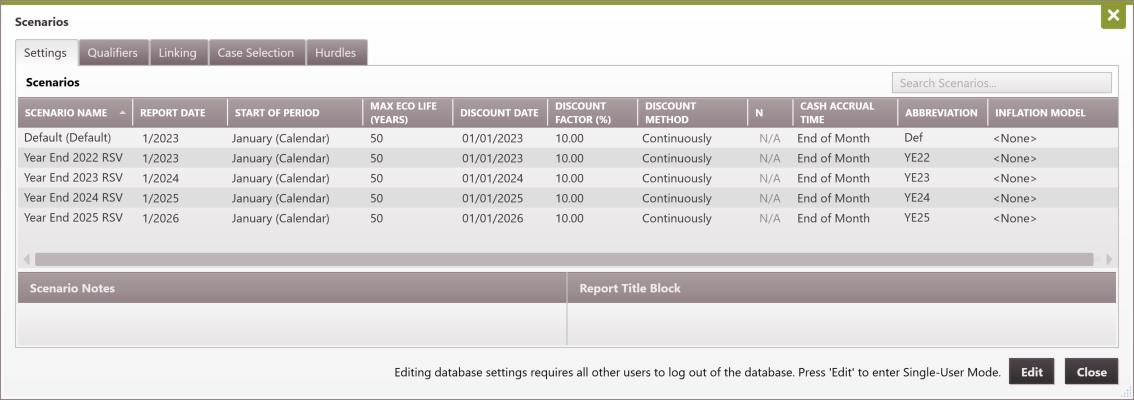
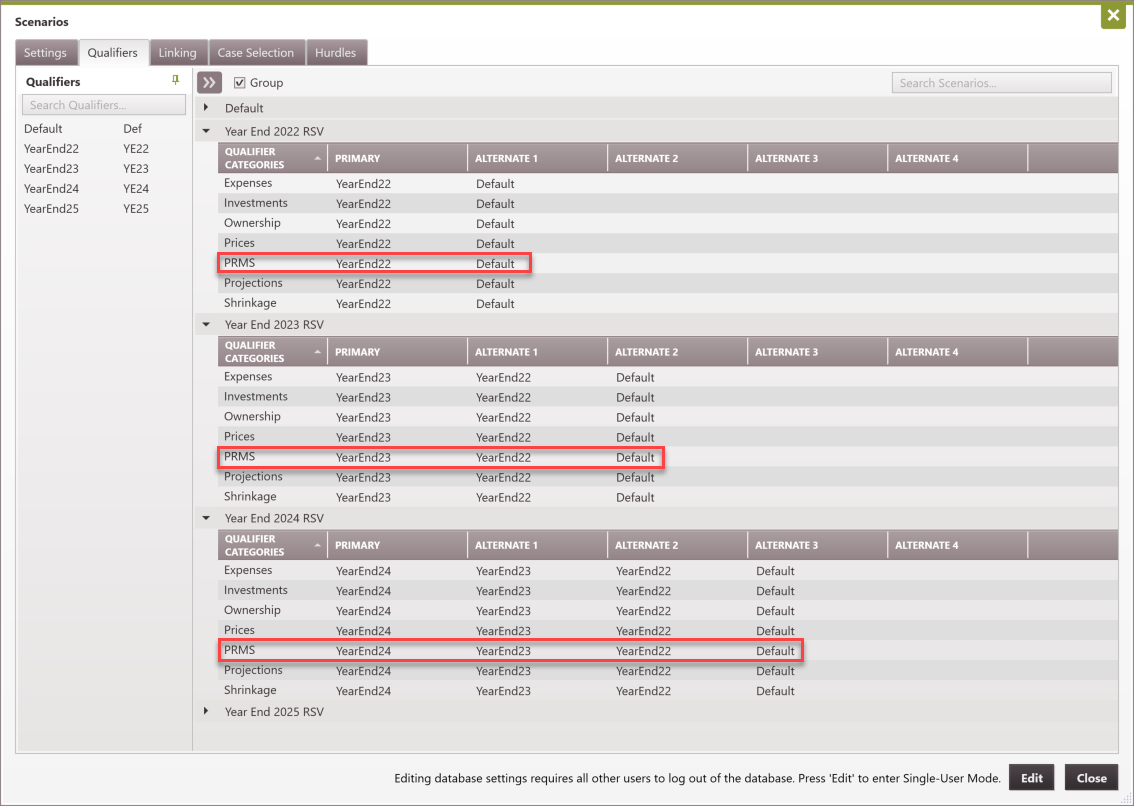
The reserve migration report is a report for tracking changes in the PRMS reserve class, category, and subcategory between two or more reserve reporting periods using the PRMS qualifier.This is done in a single database with each reporting period set up as separate scenarios and selecting multiscenario run. See the example setup below.
PRMS related sorts are incompatible with the reserve migration multiscenario report. Hence sorts that include PRMS qualifier, reserve class, category, and subcategory cannot be used with the reserve migration report. You should see a note such as "Selected Scenarios have incompatible PRMS for a MultiScenario Report using this sort." in the multiscenario report window. However, you can display summary at the PRMS reserve class, category, and subcategory level if you set these up as sub-totals in the selected sort order.
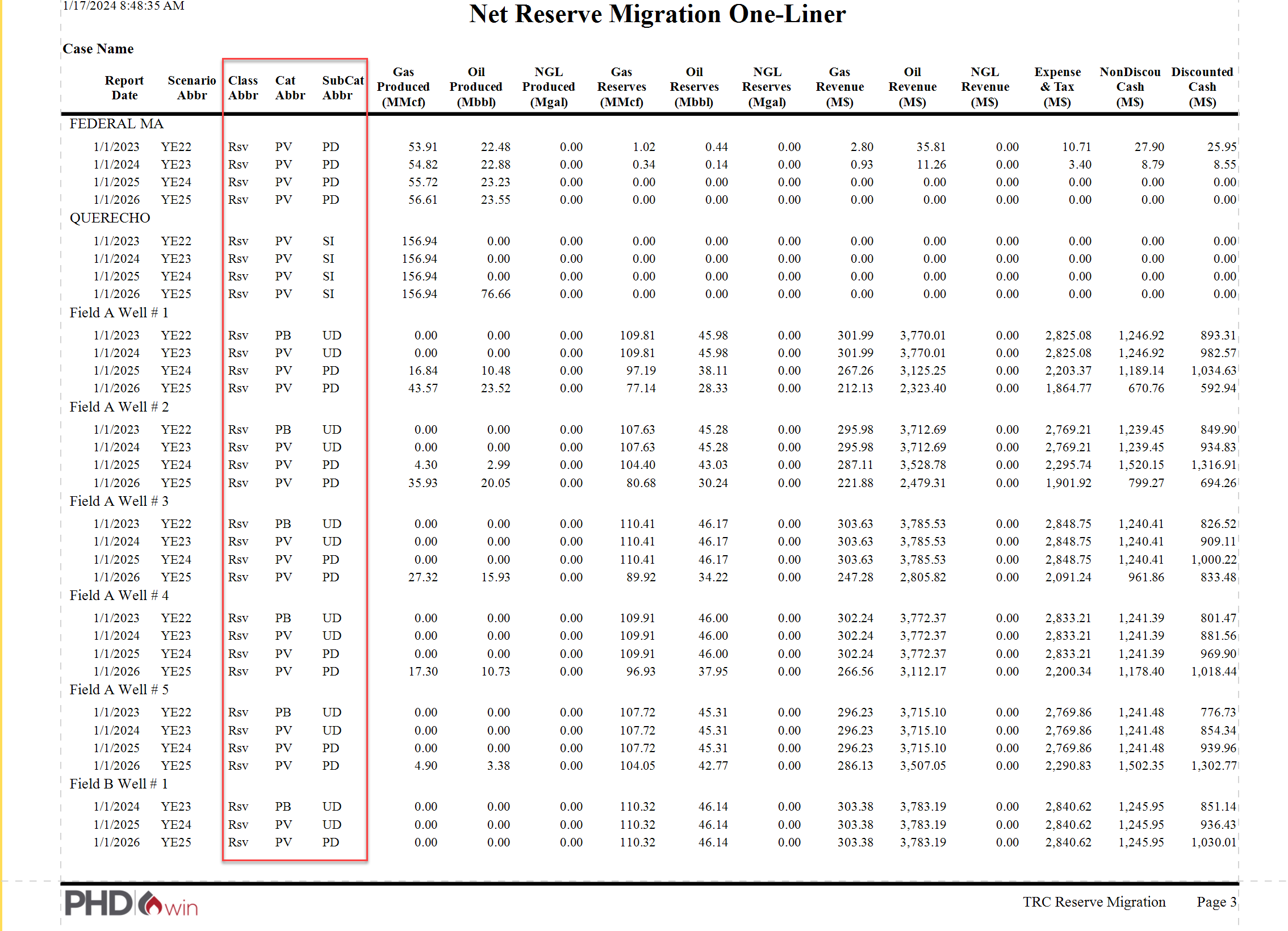
 Example of a Reserve Migration Report
|