Navigation: Running Reports > Default Reports >


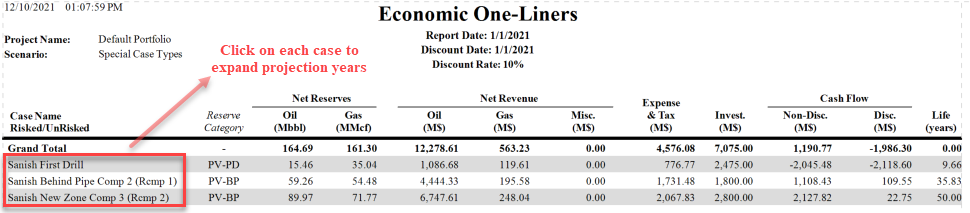
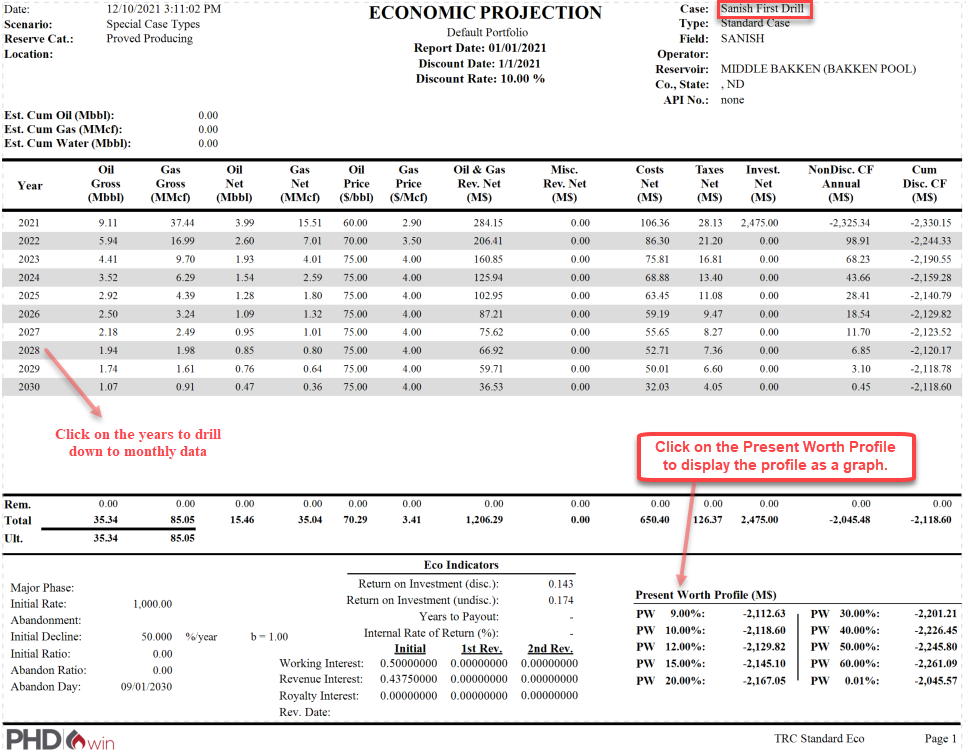
The combo report is a unique report type that provides hyperlinks to drill down to specific cases and report types while you QC your report output. It starts out as a one-liner report for cases in the selected report group. Clicking on a specific cases generates a Standard Eco report of that case. As with the Standard Eco report, if you click on a specific year, it generates a monthly cashflow for that year. The case name at the top right of the standard eco report is linked to the detailed report for the case, while the present worth profile header at the bottom right of the standard eco report is linked to a graph display of the present worth profile.
These expanding features only work when you open the report in a preview format. In all other formats, only a one-liner report will be printed.

The following is an example of a Combo Report:
Expanded Years: Click each case to reveal yearly cash flow (Standard Eco Report) as shown below. The case name on the Standard Eco report is also linked to the Detailed Report for the case. Both reports can be accessed from the Combo report.
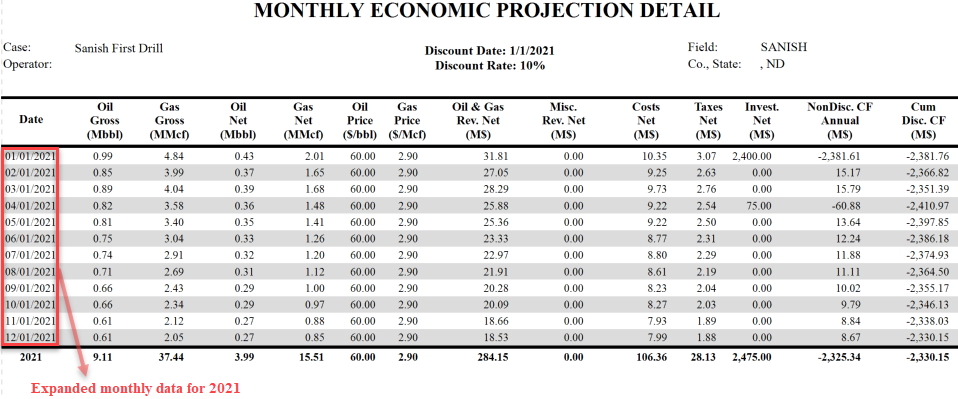
Expanded Months: Clicking on the years as shown above, drills down to monthly data for the given year.
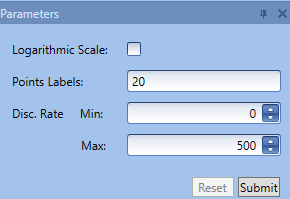
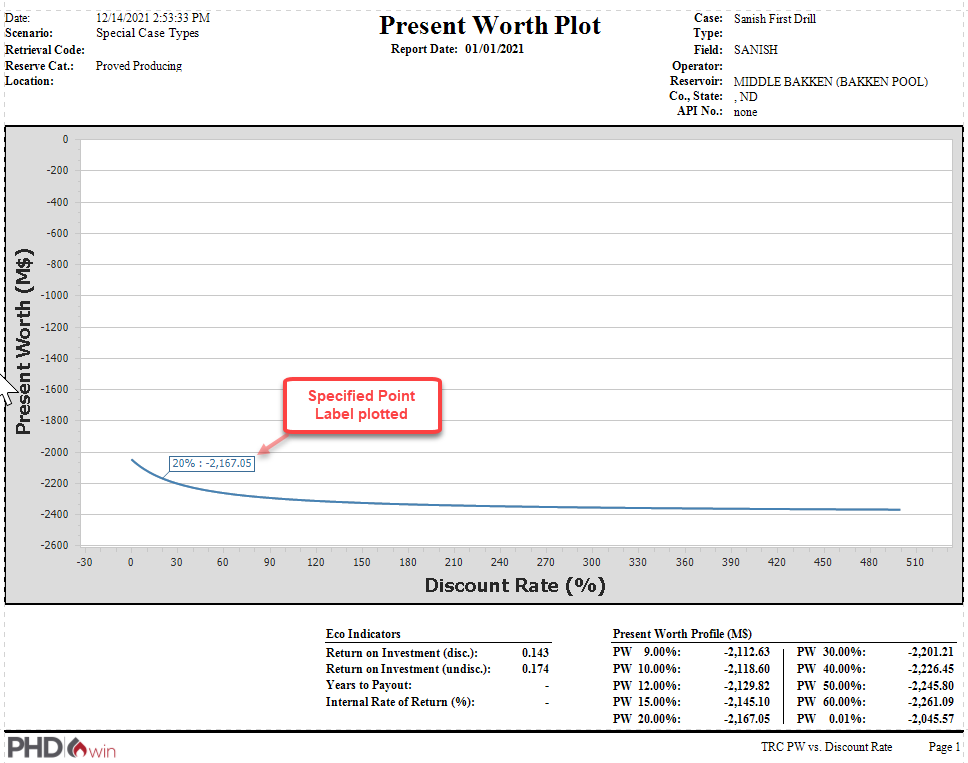
Present Worth Profile Clicking on the Present Worth Profile caption generates a present worth profile for the case using the parameters specified on the navigation pane.
|