Navigation: »No topics above this level«


This guide walks you through the complete initial installation as well as provide instructions to update with a new build. Prior to installing the program, you can view the minimum System Requirements for your computer and also ways to improve the performance of PHDwin. PHDwin databases are created on an instance of Microsoft SQL Server. The instance can be installed locally on your computer, on a shared network server that multiple users can access, or both. Please read about Microsoft SQL Server for further information.

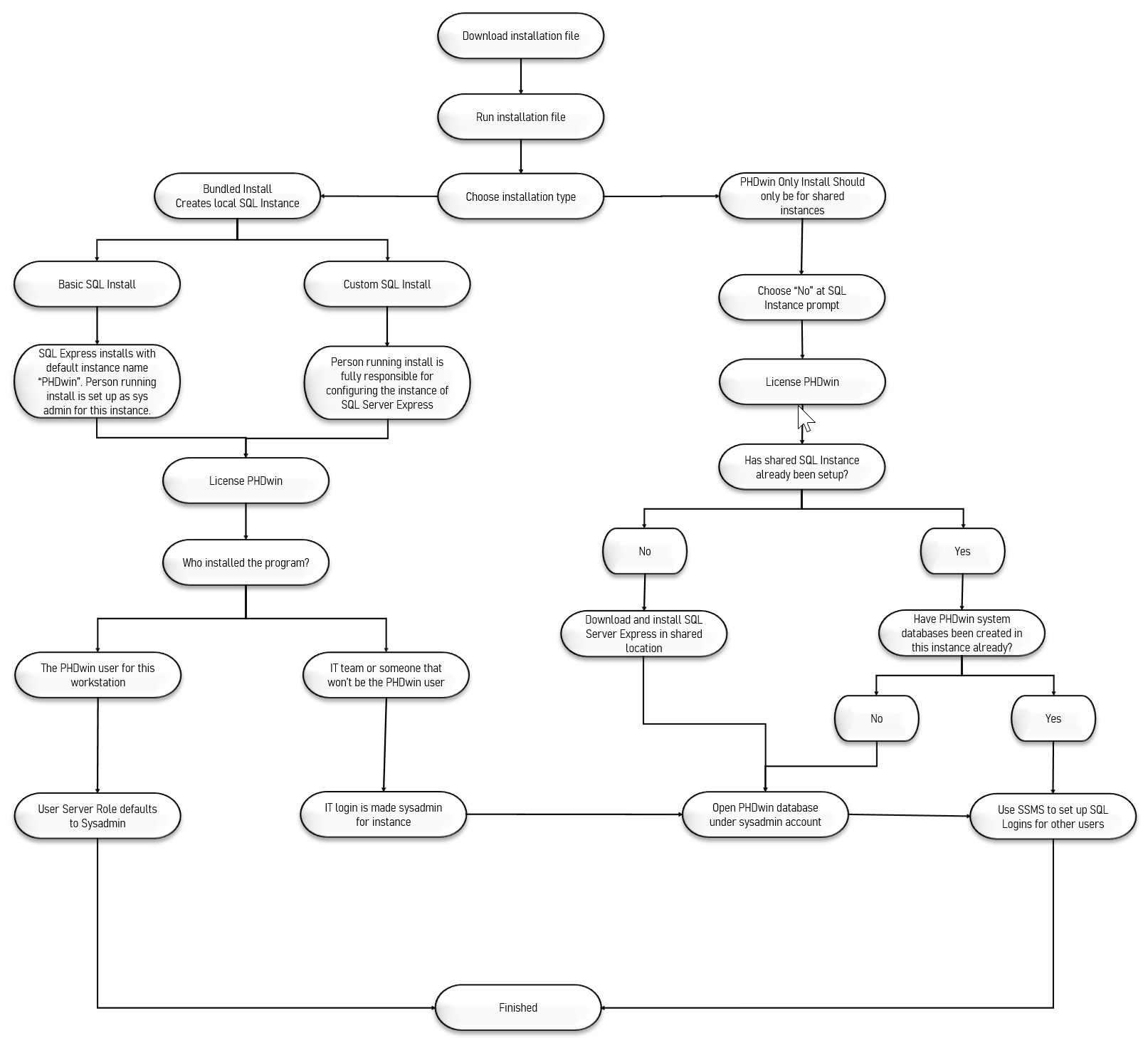
After you download the installation file, you have the option to do a bundled installation which installs PHDwin as well as SQL Server Express 2016. Or, if you already have an instance of SQL Server or plan to do the installation on your own, you can use the installation file to only install PHDwin. The installation process follows the diagram below.
|